Optimising Images for SEO: Here's How!
 Joram BoonSEO and content specialist
30 October 2024 · updated 11 November 2024
“A picture is worth a thousand words” is a saying that's known worldwide for good reason.
People remember images better than text: research shows that after three days, only 10% of what we read sticks, but adding an image raises that to 65%. This is called the Pictorial Superiority Effect.
Images are therefore more effective at getting your message across, but using images is one thing. The next step is optimising them properly for SEO.
In this article, we show you how to do that, why it matters, and how to measure the performance of your images. Read on, we'll start with what SEO for images actually involves…
What Is Image Optimisation for SEO?
Optimising images for SEO means adjusting your images so that search engines know exactly what they're about, and your visitors get a pleasant, fast experience.
Think of naming your files smartly, adding relevant alt text, and reducing file size without losing quality. That way, you keep both Google and your audience happy!
So How Do You Optimise Images?
Now that you know what image optimisation for SEO is, you might be wondering: how do you actually go about it? No worries, we've gathered the most important SEO tips below so you can get started right away…
Start with the Right File Type
Choosing the right file type is the first step in optimising your images. Usually there are three options:
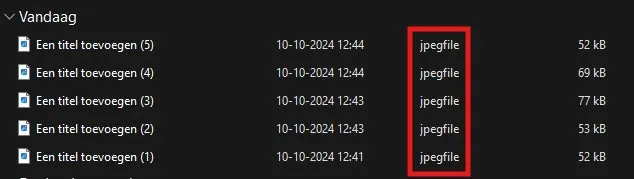
- JPEG: Perfect for photos or images with lots of colours. JPEG offers a good balance between quality and file size. Ideal for product photos or banners.
- PNG: Need something with a bit more finesse? Then PNG is the best choice. Perfect for images with sharp edges, such as logos or icons, and it supports transparent backgrounds. These files are larger and therefore heavier, though.
- WebP: This is the newest format and it's the best of both worlds, combining a small file size with razor-sharp quality. If your website supports it, this is definitely a good choice.
These aren't all the file types out there, but they are the most accessible and most widely used options right now. Whichever one you choose, you always want them to load fast. And that brings us to the next step: compress your images.
Compress Your Images!
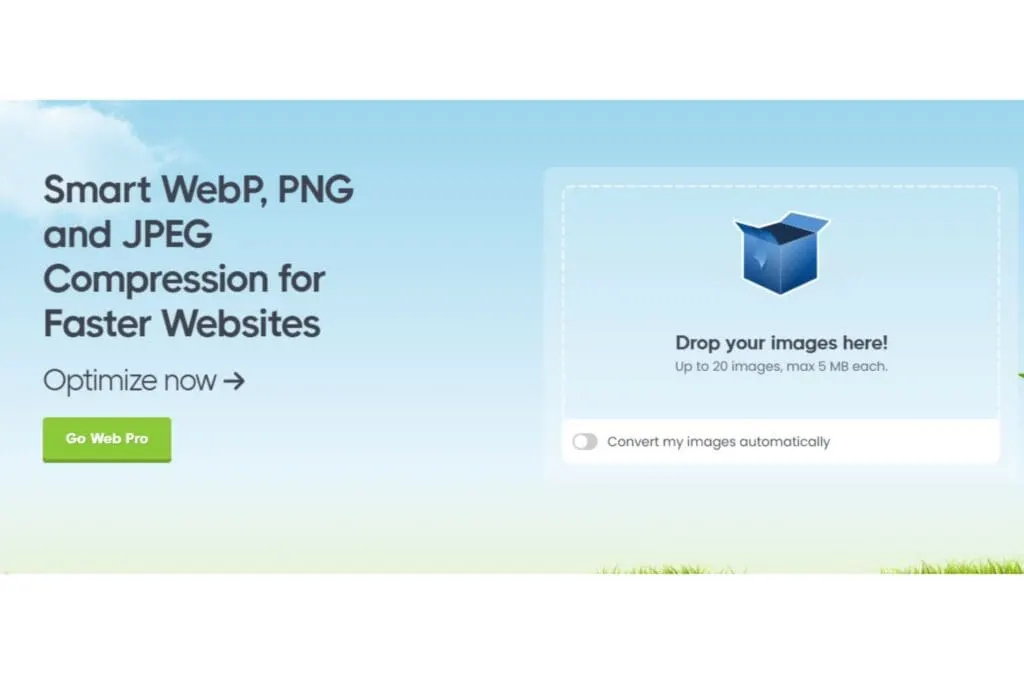
Got your website full of beautiful pictures? Great! But if they're too big, they turn your website into a slow tortoise. No visitor wants to wait for slow-loading pages. Most people bail if it takes longer than 2 seconds.
Search engines aren't keen on slow websites either, and will rank you lower as a result. The solution? Compress your images.
This reduces file size without any noticeable loss of quality. The result is faster loading times and a better user experience.
With tools such as TinyPNG or Smush Image Optimization, you can sort this out in no time.
Give Your Image a Descriptive File Name
Giving your image a generic name like “IMG_1234”? Better not! The goal is to use a descriptive, relevant file name, so search engines understand what's shown in the image.
That's because search engines don't actually read the image itself, but the code behind it.
For example, if you have an image of a retro record player, name it “retro-record-player-vintage-design.jpg” instead of something vague, like the example above. This helps you get found more easily in search results.
That said, things are changing: with AI developments such as Google Lens, search engines are getting better and better at analysing images. Even so, a good, descriptive file name remains good for SEO.
If you forget this, there's always a next option: the title and ALT text…
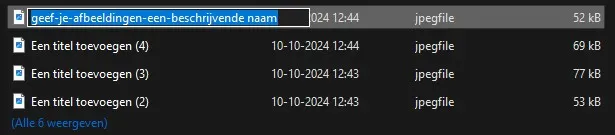
Image Title
Your image's title is what visitors see when they hover their mouse over the image. This title also helps with SEO by giving search engines an extra hint about the image's content.
That's why it's a good idea to work a keyword into it, but it needs to look natural, otherwise it'll be seen as spam.
Make sure the title is short, punchy and relevant. It doesn't need to be as detailed as the alt text, but a title like “Vintage record player” works far better than “Image1.” A small effort for extra SEO benefits!
The next step is the ALT text, the most important piece for search engines to work out what an image is about…

Always Add ALT Text!
The alt text is a short description of an image that search engines and screen readers use to understand what's shown. So it's smart to give a short, clear description and work a keyword into it here too.
For example: “Vintage record player with a wooden case and silver details.” This helps not just Google, but your visitors too.
And if your image fails to load, the alt text appears alongside an image icon. That way, your visitors still know what should have been there.

Use Captions
The caption underneath an image is mainly useful for your visitors. People scanning through your page often read the captions to quickly understand what an image is about and why it matters within the context of the text.
While captions don't have a huge direct impact on your SEO, they are a best practice for improving your page's readability and usability.
A clear caption helps your visitors make the connection between image and text more quickly. This keeps visitors engaged on the page for longer, which is a good signal for search engines.

Context of the Content Around the Image
Search engines are getting smarter and don't just look at the image itself, but also at the text around it to work out what's in the image. The content of the paragraphs before and after the image gives search engines an extra hint about its meaning.
By using sentences such as “as shown in the image below,” you create a clear link between the text and the image.
This helps both search engines and your visitors better understand the content and place the image in the right context.

Use Lazy Loading
Lazy loading makes sure images are only loaded once they're about to come into view, instead of everything loading all at once.
This considerably speeds up your page's loading time on first visit, because only the images within the user's view (the so-called viewport) are loaded immediately.
The rest only appears once the user scrolls further down. This makes your website faster and gives your visitors a smoother experience, which is again good for your SEO!
To make this visually clear, we've added a video below…
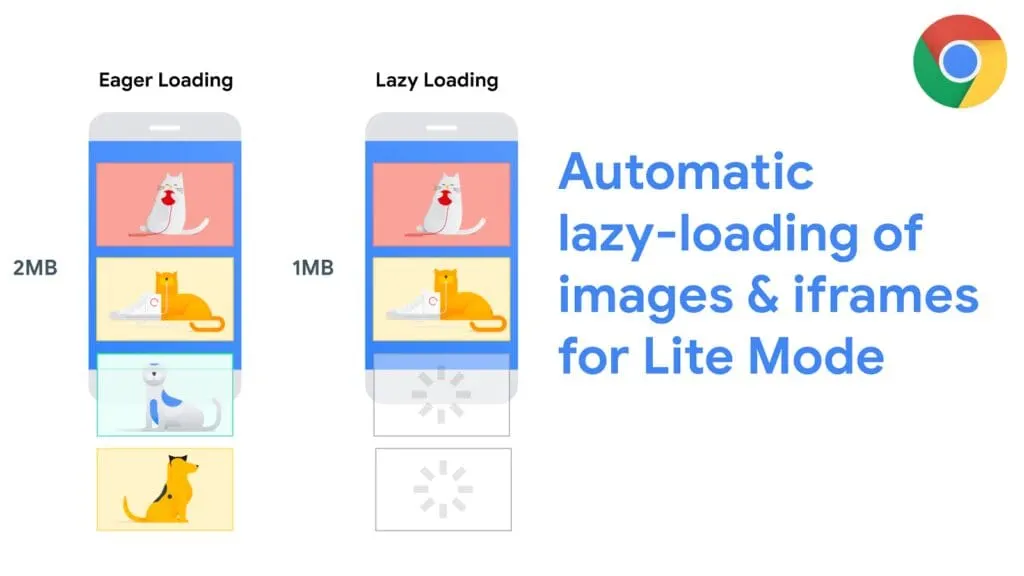
Image Sitemap
An image sitemap is a list that specifically stores all the images on your website. This lets search engines, such as Google, easily find and better index all your images.
You can submit this image sitemap through Google Search Console, so search engines properly pick up all the images on your website.
If you haven't worked with this before, it's wise to bring in an SEO specialist or web developer.
If you're not sure what a sitemap is yet, check out our article about what a sitemap is.
Now that you've optimised all your images, you'll naturally want to know whether this actually delivers results. Are your images bringing in more traffic? Are they easier to find? Time to measure performance with Google Search Console!
Measuring Performance with Google Search Console
With Google Search Console, you can see how your images perform in search results. You'll discover how many times they're shown, how many clicks they get, and which keywords people find them through.
How do you do this?
- Log in to Google Search Console and select your website.
- Go to the “Performance” tab and select the “Images” option under “Search type”.
- You'll now see data such as the number of clicks, impressions and the average position of your images.
This is useful because you can easily see which images are doing well and which aren't. You'll discover which keywords your images are found through, and you can pick up improvement points for images that underperform. Handy for, say, product photos of popular products.
Keep checking your performance regularly to see how your images are doing! We always say SEO is an ongoing process, and it's therefore never really “finished.”
Time for Action!
“A picture is worth a thousand words,” and in the SEO world that's certainly no different. By optimising your images, you make your site faster and easier for search engines to find.
Pay attention to the right file type, compress your images, and use descriptive file names, clear titles and relevant alt text.
Don't forget captions, create context around your images, and apply techniques such as lazy loading and an image sitemap. With Google Search Console, you can see exactly how your images are performing.
Want to know more about this, or need help optimising your website? Book a 15-minute call here, and we'll work out the best next steps together!