10 SEO Optimisations to Rank Your Category Pages #1!
 Joram BoonSEO and content specialist
19 June 2024 · updated 11 June 2024
Category pages are hugely important for online store SEO. They're the backbone of every online store when it comes to becoming visible for commercial and transactional search terms. That makes it incredibly important to optimise these pages the right way too.
But how do you actually do this? How does optimising your category page work?
In this article, we share the 10 most important optimisation tips for category pages, from SEO-optimised H1 tags to relevant internal links. Discover how to make your category pages shine in search engines and generate more traffic and sales.
Read on and start optimising your category pages. Let's dive straight in
1. SEO-Optimised H1 Tag
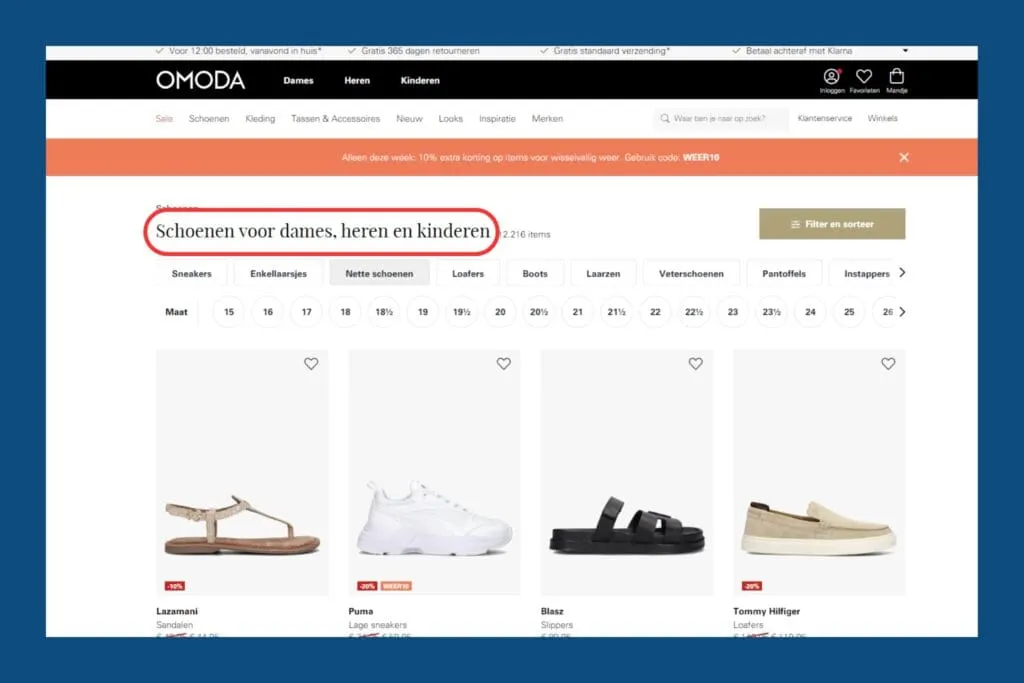
One of the most important elements of SEO optimisation for category pages is the H1 tag. On category pages, the H1 tag is usually just the most important keyword for the page.
This matters a great deal because search engines, such as Google, scan the H1 tag as one of the first elements to understand what the page is about.
A well-optimised H1 tag helps search engines determine your page's relevance to search queries and quickly matches it to what people can find on the page.
On top of that, long-tail keywords often offer great opportunities for creating separate categories. These more specific keywords can face less competition while still attracting valuable traffic that's sometimes already further along in the buying cycle.
That's why it's also important to do thorough, in-depth keyword research to use the right (long-tail) keywords for the right H1 titles and to create a solid site structure.
2. Write Descriptive Top Content with Keywords
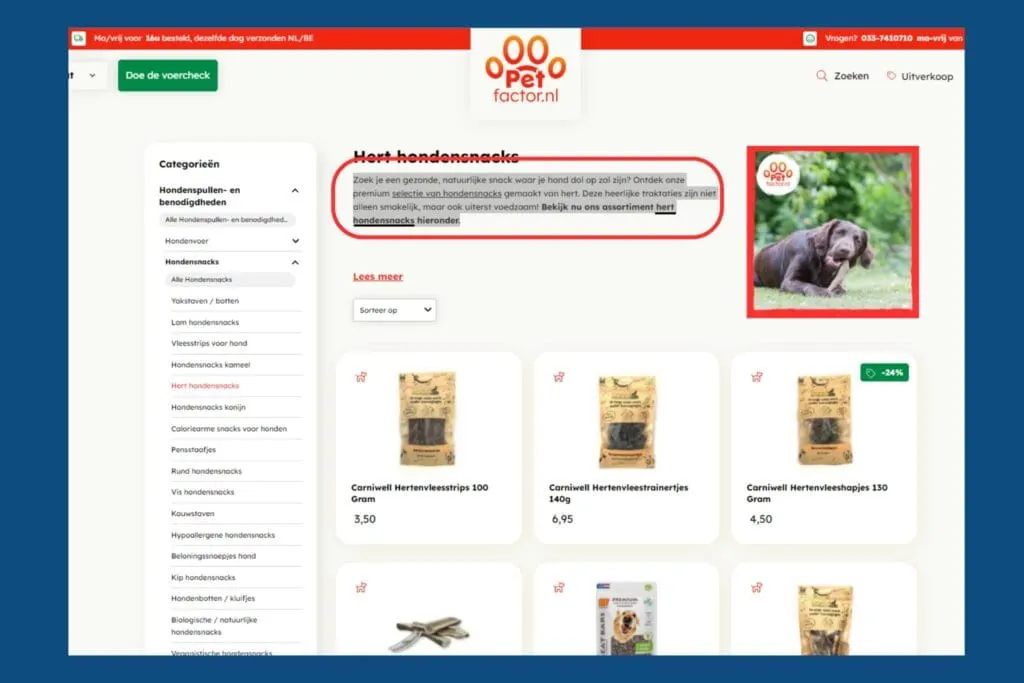
The top content on your category page should be descriptive and clear, explaining what the page is about in around 100 words. This helps both Google and visitors quickly understand what they can find on the page and which problem it solves.
It's important to work your primary keyword into this first paragraph in a natural way.
Why? Because search engines such as Google place a lot of weight on the first few sentences of a page. By placing your primary keyword here, you give a strong signal of your page's relevance.
It also helps visitors immediately see they're in the right place, which increases the chance they'll keep reading and stay on your site longer. And that, in turn, sends good signals to search engines
3. Use H2 and H3 Headings with Keywords in Them
Using H2 and H3 headings with keywords matters a lot. Search engines read these headings to understand what your page is about, which helps you rank higher.
For your visitors, clear headings make it easier to quickly scan through the text and find the information they need.
H2 and H3 headings also let you use different forms of your keyword. This means you're not just repeating your main keyword, but also using variations and longer search terms.
For example, if you sell shoes, alongside “buy shoes” you could also use “best places to buy shoes” or “tips for buying shoes online.” This makes your text more appealing and relevant for more search queries, which attracts more visitors.
This makes your text more appealing and relevant for more search queries, giving you a better chance of attracting more visitors.

4. Use Relevant Internal Links
Internal links matter a great deal for both users and search engines. They help search engines understand your website's structure and identify which pages are important and relevant.
By placing good internal links, you can strengthen the authority of your most important category pages and improve the user experience.
Link to all subcategories to create a clear hierarchy. This helps search engines and visitors quickly find the information they want. It's also very important to link to the main parent category. This shows the relationship between the pages and strengthens the internal structure.
Finally, add 1 or 2 links to relevant categories at the same level. This encourages natural navigation and keeps visitors on your site longer, which is again good for SEO.
It's important to see this as a starting point and not as a ‘golden rule’; ultimately, it's all about the internal links being relevant to the page.
So don't add dozens of links if that can't be done naturally, that's bad for your SEO again. In the end, it's all about BALANCE.

5. Keep the URL Short, Clear and Descriptive
A short, clear, descriptive URL matters a great deal for both visitors and search engines. For visitors, a clear URL means they immediately understand where they are on the website, which makes navigation and the user experience much better.
For search engines, a well-structured URL helps with indexing and understanding the context of your page. Search engines use URLs to analyse your website's structure and work out the context of the page.
Important tips for good URL structure:
- Keep it short and descriptive: Use short but clear words that sum up the page's content.
- Avoid unnecessary words: Remove stop words such as “and,” “the,” and “a.”
- Use keywords: Use your primary keyword in the URL
- Use hyphens: Separate words with hyphens (e.g. “optimising-category-pages” instead of “optimisingcategorypages”).
An example of an SEO-friendly URL: www.yourwebsite.com/seo/optimising-category-pages.
Discover more about SEO-friendly URLs here in our blog!

6. Create Content That's Actually Useful to Users
Writing copy that's aimed only at search engines might seem smart, but ultimately it's people who buy your products. Search engines don't spend money; customers do. That's why you need to create content that provides value for your users.
Visitors to your category pages are probably still in the exploration phase and are looking for information that helps them make the right choice. You can help them by offering advice in the form of a buyer's guide, an FAQ section and relevant content around the topic.
For example, a buyer's guide can offer insight into the most important features of products within a certain category, while an FAQ section answers common questions and concerns.
By offering valuable, informative content, you not only create a better user experience, but also increase the chance that visitors will come to trust your brand and eventually make a purchase.
And if there's one thing search engines respond well to, it's people spending a long time engaging with your page! So by writing for people, you're indirectly also writing for your SEO ;).

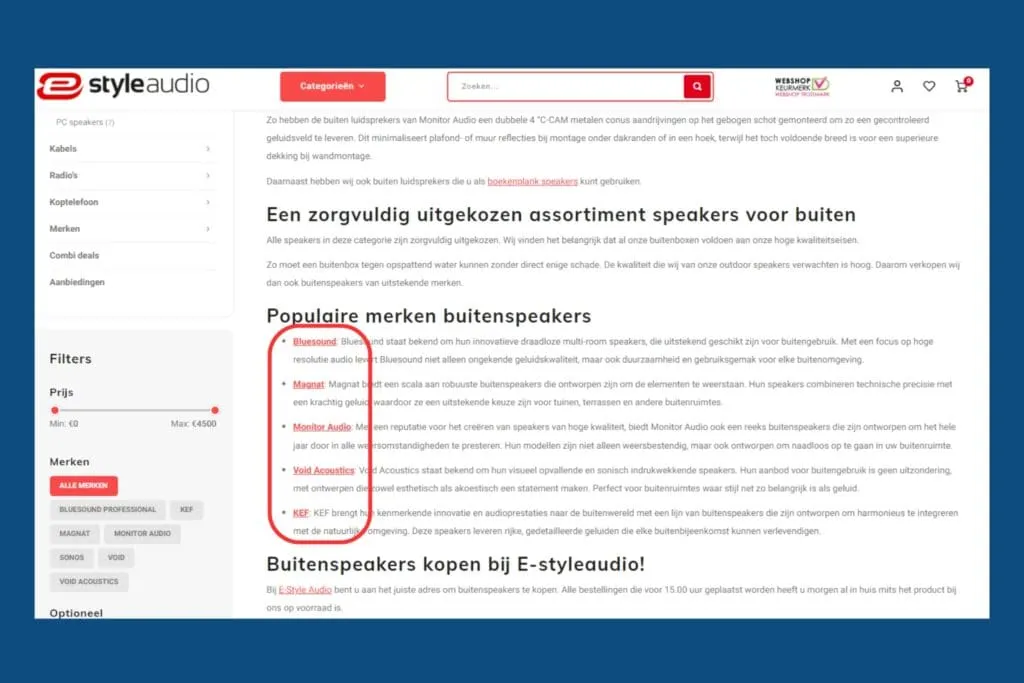
7. Link to Popular Brands or Products
People naturally need to belong somewhere. It's in our DNA to be part of a tribe or group. We're social creatures, and most of us would rather not stand out too much from the norm.
By linking to popular brands or products on your category pages, you tap into this human trait. When visitors see that your website has connections with well-known, trusted brands, they feel more at ease and are more likely to keep browsing and eventually make a purchase.
What's more, linking to popular brands gives your customers a source of inspiration. It immediately gives them ideas for products they might also find interesting, which enriches their shopping experience.
8. Add Filters for Easy Navigation
Filters matter a lot for a good user experience on your e-commerce site. They help visitors quickly and easily find exactly what they need.
Instead of having to scroll endlessly, users can refine their search in a few clicks based on things like category, price, brand, size and colour.
This doesn't just make shopping faster and easier, it also increases the chance that people will buy something. If customers quickly find what they're looking for, they're happier and buy more often.
And when a visitor stays on the website for a long time before making a purchase, that also shows search engines that your online store meets its users' needs.

9. The ‘Read More’ Feature
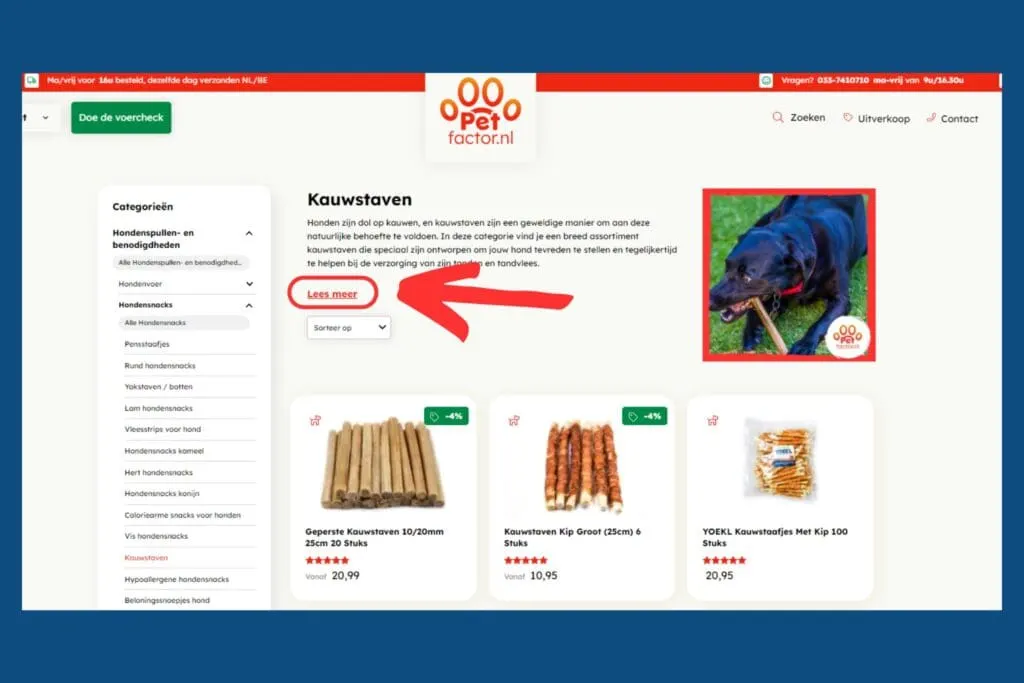
With the ‘read more’ option, you can place your important content at the top of your category page without pushing your products further down. This means visitors immediately see the most important information, and if they want to know more, they can simply click ‘read more.’
Best of all, Google sees this as a good way to hide extra content. The text behind ‘read more’ still counts for your SEO, as long as it's relevant and useful.
So you can make the most of your keywords and valuable information without it coming at the cost of your products' visibility. This keeps your page tidy and user-friendly, while your SEO also benefits.
10. Add Breadcrumbs
Breadcrumbs are really handy for both visitors and search engines. For visitors, breadcrumbs clearly show where they are on your website and make it easy to navigate back to earlier pages. This improves the user experience and keeps people on your site longer.
For search engines, breadcrumbs are also very useful. They help search engines better understand your website's structure, which can lead to a higher ranking in search results. Breadcrumbs show search engines how different pages are connected, which helps your site get indexed better.
Fortunately, the Yoast SEO plugin can help you with this. With Yoast SEO, you can easily set up and optimise breadcrumbs without any technical knowledge. This makes your website more user-friendly and improves your SEO results with minimal effort. A small change with big benefits!

Summed Up
Optimising your category pages for SEO is key to ranking higher and generating more traffic. Here are the 10 tips summed up once more:
- Use an H1 tag with your primary keyword.
- Create descriptive top content with your most important keyword and what people can find on the page.
- Use H2 and H3 headings with keywords to help users and search engines better understand what they can find on the page.
- Place relevant internal links, to give search engines better context and to point visitors to relevant pages.
- Keep the URL short, clear and descriptive so people and search engines clearly know where they are on the website and what the page contains.
- Create content for users that helps them make a decision and the right choice.
- Link to popular brands or products, this gives people direction and inspiration.
- Add filters for easy navigation so people can easily find their products.
- Add a ‘read more’ option to hide content without affecting your SEO
- Add breadcrumbs for better navigation and user experience
Thinking ‘I don't know where to start!’? No worries, we're happy to help.
Book a free call with one of our experts at Digital Bean and discover how we can optimise your e-commerce website's SEO !